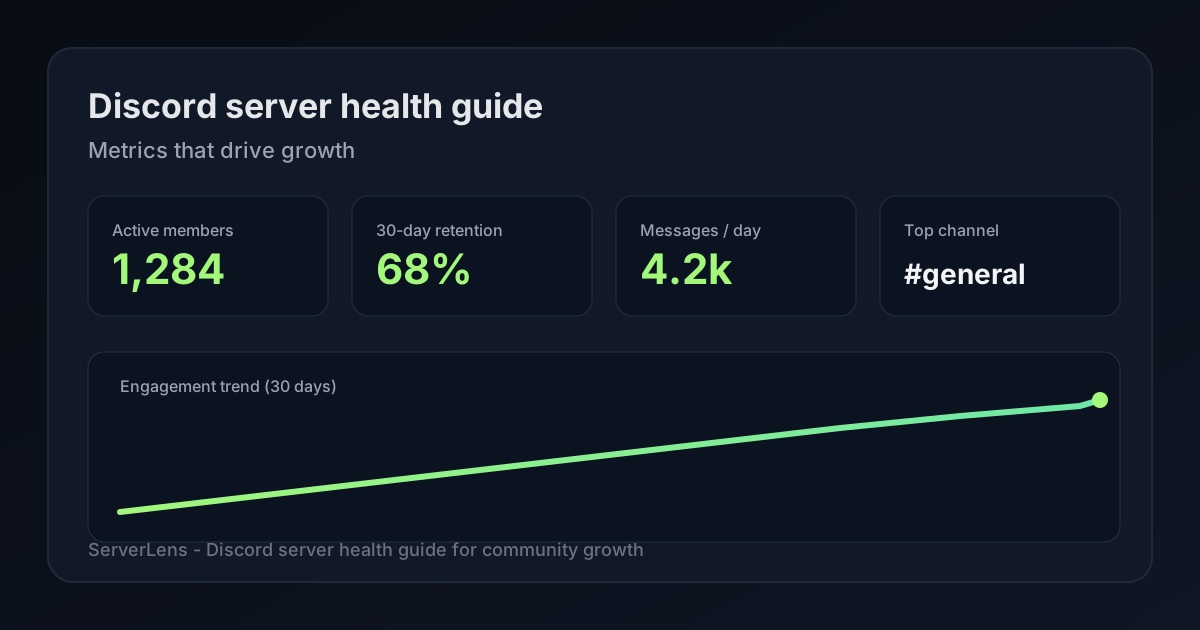
Want metric definitions and workflows? Start with the ultimate guide to Discord analytics, then read Discord community analytics for participation-focused measurement. Use this article as your server health checklist.
Community Growth Starts With Community Health
Let's be honest: watching your total member count tick upward feels amazing. It's pure dopamine. But if you've been running a Discord server for more than a minute, you know that number can be incredibly deceptive.
A server with 50,000 members looks impressive from the outside, but it's essentially a ghost town if only a handful of people are actually talking. On the flip side, a tight-knit community of 500 members can be absolutely thriving if those people return every day, start meaningful conversations, and genuinely connect with one another.
That is the difference between vanity metrics and Discord server health metrics. Thriving, sustainable communities don't just accumulate user accounts; they build an ecosystem where people want to stay. When a community is genuinely healthy, it naturally retains its members, generates consistent daily conversations, and grows organically through word-of-mouth advocacy.
In this guide, we will break down the 10 critical metrics you should be tracking to find out whether your server is truly vibrant or just a collection of lurking accounts.
For a broader look at how data can transform your community management style, check out our companion piece: The Ultimate Guide to Discord Analytics.
Why Discord Server Health Matters
Think of your server health as a leading indicator of your community's future. When health trends upward, everything else gets easier. Members start sticking around longer, organic word-of-mouth referrals naturally increase, event participation spikes, and your moderation team can focus on fostering great culture rather than just putting out fires.
Conversely, when server health begins to decline, the warning signs are subtle at first. Members quietly shift from active contributors to passive lurkers. Discussions slow to a crawl, voice channels stay empty, and before you know it, member churn spikes and your growth stalls completely.
The trick is spotting these shifts before they become full-blown cultural problems. By tracking the right data points, you can step in with targeted events, fresh content, or layout changes exactly when your community needs them most.
The 10 Discord Server Health Metrics You Should Track
1. Member Retention Rate
If you only have the time or energy to track a single metric, make it this one. Retention measures how many people actually stick around and participate after their first visit. Anyone can run a successful marketing campaign or viral tweet that drives a massive wave of new joins, but a healthy server is one that keeps them from immediately hitting the "Leave Server" button.
When analyzing your retention data, look closely at specific time horizons: how many members return after 7 days, how many remain active past the 30-day mark, and what percentage eventually transition into regular contributors? If your 7-day or 30-day retention is tanking, it's usually a glaring sign that something is off with your onboarding flow, your community culture, or your overall channel organization.
2. Active Members
Your total member count includes everyone who hasn't left yet—including the people who muted your server two years ago. Your active member count, however, isolates the users who are actually interacting with your space right now. Tools such as ServerLens measure engaged participants (people who message or otherwise show up in activity data), not every account still on the member list.
An "active" action isn't just limited to typing out a wall of text. It includes sending messages, jumping into voice channels, reacting to announcements with emojis, or participating in scheduled community events. Tracking your active member baseline on both a weekly and monthly basis gives you an honest look at whether your core audience is expanding or if you are simply piling up dead weight.
Looking to turn those quiet lurkers into active participants? Read our guide on 5 Key Steps to Grow Your New Discord Server, For Fledgling Owners and Admins.
3. DAU/MAU Ratio
Borrowed from the software world, the ratio between Daily Active Users (DAU) and Monthly Active Users (MAU) is the ultimate stickiness metric for community builders. It answers a fundamental question: How much of a daily habit is your server for the people who belong to it?
| Metric | What It Tells You |
|---|---|
| High DAU/MAU (20%+) | Your community is a daily ritual. Members return frequently to chat and check updates. |
| Medium DAU/MAU (10–20%) | Your community is a casual hangout. Members participate occasionally or around specific events. |
| Low DAU/MAU (<10%) | Your community is a ghost town. Members join, but they rarely find a reason to come back. |
These bands are rules of thumb—gaming, support, and announcement-heavy servers will land in different ranges. Use your own history as the baseline.
Servers that offer recurring value—like daily news updates, active gaming groups, or consistent evening hangouts—typically maintain a much healthier DAU/MAU ratio than those that only buzz during occasional product launches.
4. New Member Activation Rate
Joining a new Discord server can feel a bit like walking into a massive party where you don't know a single soul. The New Member Activation Rate measures how many newcomers manage to overcome that social friction and take a meaningful action within their first few hours.
"Activation" looks different depending on how your server is built. It could mean typing a first message in the introduction channel, picking custom roles, or hanging out in a community voice lounge. If your activation rate is low, it means people are opening your server, getting overwhelmed by 50 different channels, and closing the app. Utilizing native features can make a massive difference here—see our onboarding best practices playbook and Discord's official onboarding documentation to streamline that initial experience.
5. Message Participation Rate
Raw message volume can be incredibly misleading. A server that generates 10,000 messages a day might look incredibly active on paper, but if all 10,000 of those messages are coming from the same five power users talking inside jokes, your community is actually in a fragile spot.
Instead, look at your message participation rate, which calculates how widely distributed those conversations actually are. A healthy community encourages a broad spectrum of voices, ensuring that newcomers and casual members feel just as comfortable dropping a line as your veteran users.
6. Channel Engagement Distribution
It is incredibly common for a Discord server to suffer from "Lopsided Engagement"—where your #general channel is moving at a mile a minute while your other twenty specialized channels are completely radio silent.
Regularly auditing your engagement distribution lets you see exactly where your community actually wants to hang out. If you notice certain channels have been abandoned for weeks, don't leave them there to collect dust. Use that data as a clear signal to consolidate, archive, or redesign your layout so your active spaces get the spotlight.
7. Voice Channel Activity
Voice participation is one of the most underrated signals of deep community loyalty. Hopping into a voice channel or streaming a game requires a much higher level of social commitment and attention than dropping a quick text reply or a reaction emoji.
Text chat   →  Low friction, moderate connection
Voice/video →  High friction, deep community bonding
Keep tabs on your unique voice participants, average session lengths, and event attendance. If your voice lounges are consistently empty, it might be time to rethink how you invite people in. For actionable ideas on breaking the ice, take a look at Why No One Joins Your Discord Voice Channel (And What to Do About It).
8. Member Churn Rate
Every single community on the internet experiences churn; people's interests change, lives get busy, and users clean out their server lists. The goal isn't to force your churn down to absolute zero, but rather to establish a healthy baseline so you can immediately spot unexpected spikes.
If you notice a sudden jump in members leaving, it's usually an early warning sign of underlying friction. It could point to a recent bout of community drama, an unpopular change to the server rules, over-aggressive moderation, or simply a drop-off in the quality of your content. Tracking churn alongside your retention metrics gives you a complete, honest view of your community's backdoor.
Most analytics tools—including ServerLens—do not see every Discord leave event. They are strongest at spotting engagement churn first (fewer messages, quieter channels, members losing momentum) before total member count moves.
9. Moderator Responsiveness
Your moderation team is the immune system of your server. They don't just keep the peace; they set the tone for how safe, welcoming, and organized your space feels to everyone else.
Pay close attention to how quickly your team responds to member reports, answers questions in your help channels, and maintains coverage across different global time zones. Fast, empathetic moderation creates a protective shield around your community culture, making members feel looked after and far more likely to stay long-term. To align your team with platform best practices, review Discord's official Community Guidelines.
10. Hot Members and Emerging Leaders
Behind almost every thriving Discord server is a passionate core group of power users. These are the organic community heroes who greet newcomers, kickstart fun conversations on quiet mornings, answer frequently asked questions, and keep the vibes immaculate.
Tracking your "Hot Members"—those users whose engagement levels are skyrocketing—allows you to spot your future moderators and community ambassadors before they burn out. Acknowledging, rewarding, and supporting these organic leaders is one of the easiest and most effective ways to secure the long-term health of your server.
Which Metrics Matter Most?
You don't need to stress over all ten of these numbers every single morning. If you try to fix everything at once, you'll end up fixing nothing. Instead, prioritize your focus using this simple community health framework:
| Priority | Metric | Why It Comes First |
|---|---|---|
| Critical | Retention Rate, Active Members, DAU/MAU | These prove whether your community actually provides foundational value. |
| High | Activation Rate, Message Participation, Channel Engagement | These show how well your structure and onboarding convert newcomers. |
| Medium | Voice Activity, Churn Rate, Mod Responsiveness, Hot Members | These help you fine-tune culture, prevent burnout, and optimize events. |
Warning Signs Your Discord Server Is Becoming Unhealthy
Keep a sharp eye out for these subtle shifts in your analytics dashboard. If you catch them early, turning things around is relatively simple:
- The Slipping Habit: Your total member count goes up, but your DAU/MAU ratio steadily drops over a 30-day period.
- The Echo Chamber: Your overall message count remains sky-high, but the number of unique users typing those messages shrinks.
- The Dead Zones: Voice lounges sit entirely vacant for days at a time, even during peak weekend hours.
- The Backdoor Exit: A sudden, unexplained spike in member leaves that doesn't correlate with an influx of new joins.
- The Silence: Support tickets or rule violations sit unresolved for hours because your moderation team is stretched thin or losing steam.
How ServerLens Helps Measure Community Health
Trying to track all of these data points manually using spreadsheets or Discord's built-in Server Insights can quickly feel like a second full-time job—especially on smaller servers that do not yet qualify for Insights.
ServerLens focuses on participation signals (messages, reactions, and channel activity), not Discord's full member roster. That aligns well with the metrics in this guide: active members, channel distribution, new-vs-returning messagers, and contributors who are heating up or fading out. Explore the analytics dashboard for charts and heatmaps.
On the dashboard (free tier includes core stats with 14 days of history; Standard adds more):
- Active members, total messages, and average daily messages for your selected timeframe
- Messages per channel and which channels carry the conversation
- Newly active members—users who sent their first message in the server during the period (not the same as Discord join count)
- Hot members and members losing momentum lists
- New vs returning messagers, time-of-day heatmaps, and moving averages on Trends (paid)
- Realtime message and member activity during launches and events (paid)
Inside Discord, admins can run slash commands without opening the dashboard:
/statswith adaysvalue (1–90)—messages, active members, newly active members, and active channels/user,/channel,/top-users, and/top-channelsfor focused breakdowns/aiwith a plain-English question (Standard plan or above)
ServerLens does not yet replace every metric in this article out of the box—there is no built-in DAU/MAU ratio card, moderator response-time tracking, or direct "member left the server" churn counter. Use it where it is strongest: message engagement, channel health, participation trends, and identifying members who need a nudge.
For more creative strategies on turning raw data into community growth, dive into How to Use Discord Analytics to Fuel Community Growth, see what's new in our write-up on Introducing Realtime Discord Analytics by ServerLens, or explore our dedicated Analytics hub.
Building a Community Health Score
As your server matures, you might want to bundle a few of these metrics together to create a single, custom "Community Health Score." For instance, you could weigh newly active members, your new-vs-returning split, active member percentage, and channel participation breadth to give your team one number to track week-over-week.
The goal is not to replace channel-level analytics, but to give you a quick health check at a glance. Many teams still export or note a few dashboard figures from ServerLens each week while keeping the full Trends view for deeper dives.
The Big Takeaway: A genuinely successful Discord community isn't built on vanity metrics or massive member counts. It's built on real retention, steady engagement, and long-term value. Focus on the health of your space, and the growth will take care of itself.
Ready to see what's actually happening under the hood of your server? Start free with ServerLens today.