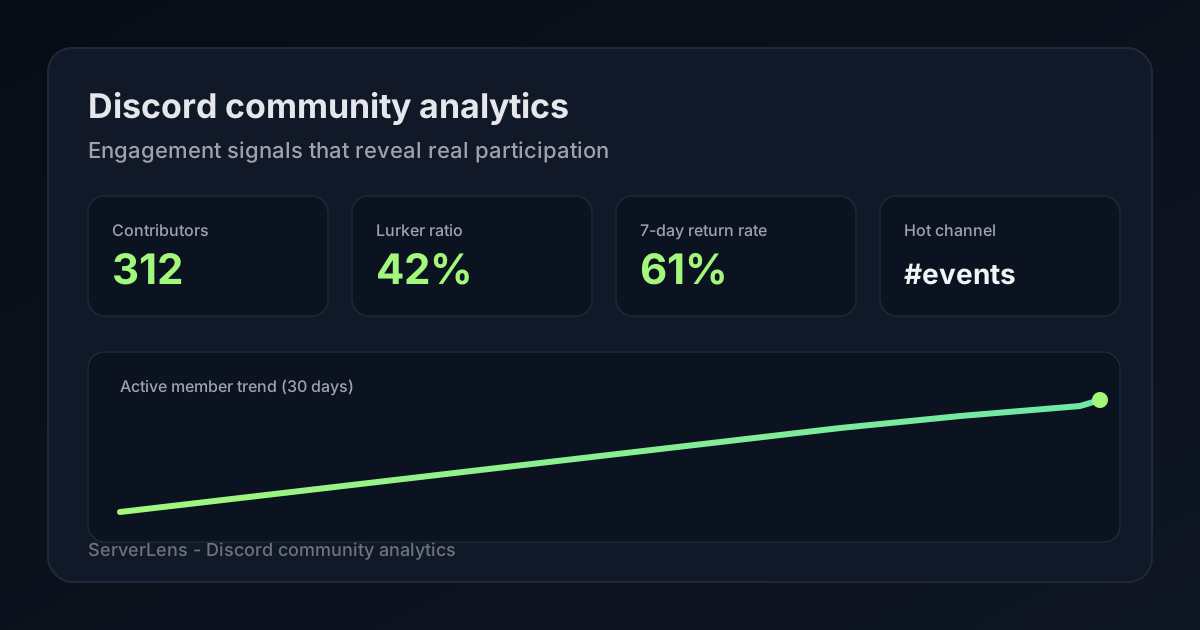
Need metric definitions first? Start with the ultimate guide to Discord analytics for the full reference. This guide focuses on Discord community analytics — the participation signals that tell you whether members actually belong, not just whether they clicked an invite link.
If you've ever stared at a member count that keeps climbing while your channels feel just as quiet as before, you're not imagining it. That's the gap community analytics is built to close.
Community analytics vs. server analytics
Here's the difference in plain terms.
Beyond headline Discord analytics dashboards, Discord community analytics helps you answer:
- Who participates — and who joined six months ago but still hasn't said hello?
- Do new members return after week one, or do they vanish without anyone noticing?
- Which channels create real conversation, and which ones are basically museum exhibits?
- Is your mod team drowning because culture slipped, or because a promotion brought in the wrong crowd?
Discord server analytics usually answers: How big is my server, and how many messages did we send this week? That's useful for a quick pulse check — especially when you're reporting growth to a team or celebrating a milestone. But it won't tell you whether those messages came from fifty people or five, or whether the hundred new joins from last weekend ever came back.
Member count feels great until you realize most of those accounts never message. Community analytics treats participation as the product, not headcount.
Picture two servers side by side:
| Server | Members | Weekly contributors | What it feels like |
|---|---|---|---|
| Server A | 5,200 | ~45 | Big on paper, quiet in practice |
| Server B | 820 | ~130 | Smaller list, alive every day |
Server A wins the screenshot. Server B wins the culture. Discord community analytics is how you figure out which one you actually have — and what to fix if you're closer to A than you'd like.
| Lens | Server analytics | Community analytics |
|---|---|---|
| Primary question | How much activity happened? | Who is participating, and are they staying? |
| Typical metrics | Total members, messages/day, joins | Contributors, lurker ratio, cohort retention, channel mix |
| Best for | Growth reporting, high-level trends | Onboarding, culture, moderation, promotion ROI |
Discord's built-in Server Insights (for eligible Community servers, usually 500+ members) covers some of this ground. Smaller servers and teams who want contributor-level trends, per-channel breakdowns, or plain-English summaries often layer in a dedicated tool.
ServerLens sits in the community analytics lane: it highlights engaged participants — people who message or show up in activity data — not every account still sitting on the member list. You can explore the analytics dashboard or pull a quick snapshot with /stats in Discord. Browse the full ServerLens slash command reference.
You don't need a PhD in data science for this. You need a honest look at who's showing up — and the willingness to change one thing when the numbers say you should.
Six Discord community metrics that signal a healthy server
You do not need fifty dashboards. You need six signals you can check every week without burning out. Think of these as your community's vital signs — not a report card, but early warnings before a server goes quiet.
1. Active contributor count
This is the number that should replace member count in your head.
An active contributor is someone who actually participated in a given week — they messaged, reacted in a way that matters (not just a random emoji on every post), or joined voice for more than a accidental two-second pop-in. They are not "people who have Discord open somewhere near your server icon."
What healthy looks like: Contributor count grows roughly in line with joins, or holds steady while you prune inactive accounts. Your weekly active people feel familiar but not identical — new voices appear, veterans stick around.
What trouble looks like: You run a promotion, member count jumps 200, and your contributor count barely moves. You hosted an event, messages spiked for one night, and the same twelve people carried the whole conversation.
A real scenario: A creator community hits 3,000 members after a viral clip. The owner celebrates — then notices only 80 people messaged all week. The server looks huge in screenshots. It feels empty in #general. That's not a moderation problem. That's a funnel problem: the wrong people joined, or the right people joined and had nowhere to land.
What to do: Compare contributors week over week, not members. If joins rise and contributors don't, pause promotion and fix onboarding before spending more energy on outreach.
2. Lurker ratio
Every server has lurkers. Some people legitimately want to read announcements and never chat — that's fine. Problems start when lurker ratio climbs month after month while you're high-fiving "record joins."
Lurker ratio = members who did not participate in the period ÷ total members (some tools use engaged accounts as the denominator instead — either works as long as you're consistent).
There is no universal "good" lurker ratio. A news-style announcement server will naturally have more lurkers than a tight gaming LFG hub. What matters is the trend:
- Flat lurker ratio + steady contributor growth = healthy
- Rising lurker ratio + flat contributors = you're filling the server with spectators
What it feels like in practice: You post in #introductions and get crickets. Your welcome channel has dozens of "User joined" system messages from the past month, but nobody followed the prompt. Mods start saying "the server feels dead" even though member count says otherwise.
Fix paths that actually work:
- Sharpen onboarding so the first action takes under 60 seconds
- Add low-stakes prompts ("drop one emoji for your timezone") instead of "write a paragraph about yourself"
- Tighten promotion so you're not blasting invite links to audiences who will never participate
Lurkers aren't failures. But a rising lurker ratio is your server whispering: we're easier to join than to belong to.
3. Return rate (7-day and 30-day)
Growth metrics stop at the invite click. Return rate picks up where they leave off: did this person come back?
- 7-day return catches onboarding failures fast. If someone joins Tuesday and you never see them again by next Tuesday, something in the first week failed — confusing layout, no clear first step, or a vibe that felt cliquey.
- 30-day return tells you whether your server became a habit. People who are still around after a month have usually found a channel, a ritual, or a relationship that pulls them back.
The promotion trap: You run a TikTok push and 400 people join over a weekend. Member graph goes vertical. Seven days later, almost none of them messaged again. Your instinct might be "our community isn't engaging enough." Often the truth is simpler: that campaign brought tourists, not residents.
Compare return rates by cohort (more on that below), not as one blended number. A niche forum post that brought 25 people with 60% seven-day return beats a viral spike that brought 400 with 5%.
What to do when 7-day return drops:
- Walk through your server as a new member on mobile — where do you get stuck?
- Check whether your welcome flow points to one channel, not twelve
- Ask in mod chat: did we change anything the week this cohort joined?
Return rate is the metric that saves you from blaming your regulars for a problem your funnel created.
For a deeper playbook on stickiness and win-back, see Discord retention: why members leave and how to keep them engaged.
4. Message depth, not just volume
Raw message count lies to you all the time.
A heated argument in #debate can produce 800 messages in an evening from eight people. A healthy Q&A thread might produce 120 messages from forty. If you only track volume, the argument looks like "engagement." Community analytics asks: how many unique people participated, and did conversation build or just loop?
Signs of real depth:
- Multiple unique senders per thread
- Replies that reference what someone else said (not parallel monologues)
- Activity spread across the week, not one chaotic spike and six quiet days
Signs of shallow volume:
- One channel dominates because two people are arguing
- The same five accounts send 60% of messages
- "Busy" nights are always the same small group doing voice while everyone else watches
What to do: When message volume rises, check unique sender count in the same period. If volume is up 40% but senders are flat, you're not growing community — you're concentrating it. That can be okay for a tight friend group server; it's risky for a community trying to scale.
Depth is what separates a server people visit from one people inhabit.
5. Channel engagement mix
Most servers follow an informal 80/20 rule: roughly 20% of channels drive 80% of engagement. Community analytics makes that visible instead of something you vaguely sense in mod chat.
| Pattern | What it usually means | What owners often try (and what works better) |
|---|---|---|
| One channel dominates everything | Topic concentration or social gravity around one room | Split subtopics only if volume justifies it; otherwise lean into the winner and route new members there |
| Many channels, near-zero posts | Choice overload — members don't know where to speak | Archive or merge; fewer, louder rooms beat dozens of empty ones |
| Announcements get reads, discussion channels don't | Consumption without belonging | Add participatory rituals: weekly prompts, AMAs, low-stakes threads |
A real scenario: A gaming server has separate channels for twelve games, but only two ever have traffic. New members join, scroll the channel list, pick nothing, and leave. The fix isn't "promote harder." It's reduce decision fatigue — merge dead game channels, pin "start here" in the two active ones, and stop adding channels until existing ones are consistently busy.
For a deeper checklist on server-wide health, see 10 Discord server health metrics.
Channel mix is where a lot of "why does my server feel dead?" mysteries get solved. The server isn't dead. The activity is just hiding in three rooms while twenty others collect dust.
6. Moderation load vs. activity
Moderation belongs in community analytics — not in a separate spreadsheet mods keep in their heads.
When reports, timeouts, slow-mode toggles, and mod-only channel messages rise faster than healthy contributor growth, something structural is off:
- Rules aren't clear enough, so every edge case becomes a mod judgment call
- A promotion brought in people who don't fit the culture
- One channel's permissions are too loose for its traffic level
- Veteran members are frustrated and mod mail is filling up with interpersonal drama
Staff burnout signal: The mod team spends more time coordinating in #mod-chat than engaging in public channels. That's not a personal failure — it's a data point.
What to do after roles or permission changes: Give it one week, then compare public contributor count vs. mod interventions. Good permission design should reduce chaos, not just move it behind the scenes.
Community analytics helps you catch this before your best moderators quit. Mod load is a lagging indicator of culture stress — treat it that way.
Channel-level analytics: find dead zones before members do
Server-wide totals are comforting and misleading. Channel-level analytics is where you find the problems members feel but rarely report.
Break engagement down by channel at least once a month:
Messages and unique senders per channel
This is the fastest audit you'll run. Sort channels by unique senders last week, not just message count. A channel with 200 messages from two people is a private conversation happening in public. A channel with 80 messages from thirty people is a community asset.
Winner channels deserve visibility in onboarding and pins. Zombie channels deserve an honest conversation: merge, archive, or repurpose.
Where new members post first
Track which channel gets a new member's first message (or first reaction, if you're counting that). If joins land in #welcome and never leave, your funnel stops at the door. If they find #introductions but never reach #general or your topic channels, your layout might be a maze.
Walk the path yourself after every big join wave. It's tedious. It's also how you catch friction analytics alone won't explain.
Voice adjacency
Text busy but voice empty? That's common — and fixable. Text-only members often need scheduled reasons to hop in: watch parties, coworking sessions, game nights with a posted time.
If voice is core to your server (gaming, study groups, creator hangouts) and it's consistently dead, don't assume people "just don't like voice." Read why no one joins your Discord voice channel before redesigning your whole structure.
Read-heavy vs. write-heavy channels
Announcement channels should be read-heavy. If they're your only active-looking spaces — lots of views, few replies elsewhere — you have consumers, not community. Add write prompts in discussion channels: weekly threads, "show your setup" days, mod-asked questions that invite short answers.
Practical rule: Any channel with fewer than ~5 messages in 14 days and no strategic purpose (legal, archive, staff-only logs) is a merge or archive candidate. Every dead channel is a place a new member can wander into and think, oh, this place is inactive.
Run /channel #name in Discord for a quick snapshot, or open channel trends in the ServerLens dashboard. You don't need perfect data to start — you need a habit of looking room by room, not just at the server total.
New member cohorts: are your joins actually sticking?
Treat each promotion week, partnership, or invite campaign as a cohort — a group you can follow over time instead of blending into one meaningless average.
| Milestone | Question to ask | Why it matters |
|---|---|---|
| Day 1 | Did they post, react, or pick a role in welcome? | First action predicts week-one survival |
| Day 7 | Did they return without a mod DM nudge? | Habit formation starts here |
| Day 30 | Are they active in more than one channel? | Single-channel members churn easier |
Compare cohorts honestly. A viral TikTok might deliver huge Day-1 joins and brutal Day-30 retention. A thoughtful post in a niche subreddit might deliver twenty people — half still around a month later. Without cohort view, you'll chase the campaign that looked big and ignore the one that worked.
How to run a simple cohort review:
- Note the date range and source of a join spike ("June 12–14, partner server swap")
- Check how many from that window messaged in week one
- Check the same group at day 30
- Write one sentence: This source brought talkers or This source brought ghosts
Stop optimizing for invite clicks. Optimize for cohort return rate. When you're ready to turn that into campaigns and weekly habits, pair this with how to use Discord analytics to fuel community growth.
The uncomfortable truth: some growth channels will never work for your server, no matter how good your community is. Cohort analytics gives you permission to stop wasting energy on them.
Using analytics to balance moderation workload
Mods are people. When workload rises faster than contributor growth, burnout follows — and burned-out mods make rushed calls that hurt culture.
Fold moderation signals into your community analytics review:
Spike channels
Sudden activity in one room can mean something good (viral thread, event night) or something bad (raid, pile-on, off-topic fire). Analytics won't tell you which — but they tell you where to look first. Consider a mod presence or temporary slow mode before things spill into mod mail.
Repeat patterns vs. one-off mistakes
The audit log plus participation trends tell different stories. One timeout might be a bad day. The same member cycling through timeouts every week is a structural issue — rules clarity, channel fit, or a harder conversation.
Mod team health
If #mod-chat is always on fire while public channels look quiet, you're managing symptoms in private instead of fixing causes in public. That's sustainable for a week. It isn't for a year.
After permission or role experiments: Wait seven days, then check whether contributor count improved and mod interventions dropped. Good changes feel boring in mod chat — that's the goal.
If analytics stop updating after a permissions shuffle (it happens more than people admit), ServerLens /fix can restore bot access — a common blind spot right when you need data most.
Moderation analytics isn't about catching members doing wrong. It's about designing a server where the right behavior is easy and the wrong behavior is rare.
Your 15-minute weekly community health review
You don't need a quarterly offsite to run a healthy server. You need fifteen minutes, the same day each week, and the discipline to look at the same six signals before you react to whatever happened in mod chat.
Pick Monday morning, or the morning after your peak activity day — whatever fits your server's rhythm.
The agenda (same every week):
- Contributor count — up, down, or flat vs. last week? Any one-line note why?
- Top 3 channels — surprises? New dead zones? A channel that suddenly woke up?
- New member cohort — seven-day return for last week's joins
- One lurker intervention — a welcome prompt tweak, a low-stakes event, an onboarding pin, or one tactic from 15 proven Discord engagement strategies
- One decision — archive a channel, schedule something, pause a promotion source, or fix a rule ambiguity
Then post one sentence in your mod or staff channel: "This week we learned ___." That single habit turns analytics from a spreadsheet into shared culture. Mods stop guessing. Owners stop flying blind.
Monthly add-ons (budget 45–60 minutes once a month):
- 30-day retention by cohort
- Lurker ratio trend — climbing or stable?
- Promotion post-mortem if you ran a campaign
- Roles and permissions audit if mod load crept up
Paid ServerLens plans include members losing momentum lists and new vs. returning breakdowns — useful for win-back DMs or a "hey, we miss you in #events" nudge. You don't need paid features to start the weekly ritual; they're accelerators when you're ready.
Fifteen minutes sounds small. Do it for two months and you'll wonder how you ran a server without it.
Turning community analytics into action
Discord engagement analytics is only useful when it changes what you do this week. Data without action is trivia you glance at once and forget. Here's a practical cheat sheet — not exhaustive, but enough to move from "huh" to "we're doing something about it" in one sitting.
| Signal | What it probably means | Likely next move |
|---|---|---|
| Low 7-day return | First week failed — layout, vibe, or wrong audience | Fix welcome flow; reduce channel count visible to new members |
| High lurker ratio | Easy to join, hard to participate | Tighten promotion targeting; add one low-friction first prompt |
| One channel dominates | Gravity around a single room | Route new members there intentionally; merge dead channels |
| Post-promotion ghost joins | Campaign mismatch | Pause that channel; double down on sources with better cohorts |
| Mod load rising | Rules, permissions, or culture stress | Clarify rules; tighten hot channels; check if joins changed tone |
| Volume up, senders flat | Core group carrying the server | Design broader prompts; spotlight new voices; check clique dynamics |
On paid plans, /ai can answer plain-English questions — "Which channel gained the most new contributors this month?" — when you're tired of clicking through dashboards. The goal isn't more charts. It's one clear decision per week.
If a metric doesn't change what you do on Tuesday, deprioritize it. Community analytics should shrink your anxiety, not add to it.
Get started with ServerLens
You can begin without rebuilding your whole server:
- Sign up for ServerLens and add the bot to your server
- Run
/stats days:7for a first contributor snapshot — see the slash command reference - Open the dashboard for channel and retention trends
- Block fifteen minutes next week for your first health review
- Pair this guide with the ultimate Discord analytics reference
Discord community analytics isn't about watching numbers climb for their own sake. It's about knowing whether real people keep showing up — and having the honesty to fix one thing when they don't.
Member count is what you show outsiders. Participation is what you feel every day. Measure the second one.
Summary: Track contributors, lurker ratio, return rates, channel mix, cohort retention, and moderation load. Run a fifteen-minute weekly review, archive dead channels, and judge promotion by whether joins come back — not whether they merely click invite. One fix per week beats a perfect dashboard you never open.