Need metric definitions first? Read the ultimate guide to Discord analytics for the full metrics reference, or Discord community analytics for participation-focused measurement. This article focuses on workflows, tools, and turning data into growth actions.
Understanding Discord Analytics
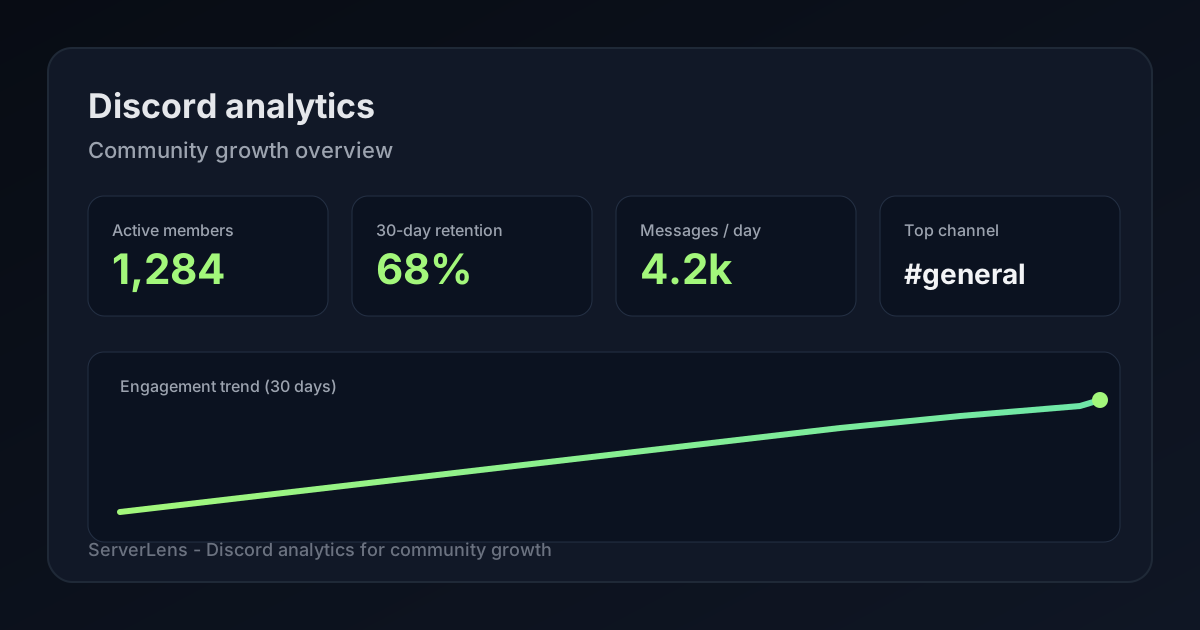
Discord analytics play a crucial role in shaping your community’s growth. By tracking key metrics like engagement, retention, and channel activity, community managers gain insight into how members interact. Tools such as ServerLens and its analytics dashboard provide the functionality needed to monitor these metrics effectively.
They help you identify trends and behaviors, allowing you to see how members engage and how long they stick around. By analyzing these patterns, you can understand which types of content resonate most with your audience, whether it's memes, discussion topics, or events.
This understanding can lead to improved community satisfaction, as you tailor experiences that members find enjoyable. Establishing key performance indicators (KPIs) helps you measure success effectively. For example, tracking peak activity times can guide when to host events or post important updates. Additionally, knowing how members interact with different channels gives insights into their preferences, informing your content strategies.
Regularly reviewing analytics strengthens your community management efforts and enables you to make informed decisions that promote growth.
Important Metrics for Community Growth
Tracking important metrics is essential for understanding your community's growth. Start by monitoring active users versus inactive members, as this helps gauge engagement levels. It's crucial to measure retention rates over various timeframes, such as 7, 30, and 90 days, to see how well you keep members interested. Additionally, assess which channels are most popular for discussions and activities, enabling you to focus on content that resonates with your audience.
Identifying trends in member behavior during different times of the day can also guide your engagement strategy, ensuring you post content when members are most active. Monitoring event participation is key to ensuring your community activities are successful, while evaluating response rates to announcements and updates helps you understand how effectively you're communicating with members.
Analyzing member demographics allows you to tailor your content to better suit your audience's interests. Don't forget to use surveys for qualitative feedback alongside quantitative metrics, as this can provide deeper insights into member satisfaction. Calculate the churn rate to understand how many members you lose over time, and consider benchmarking your metrics against similar communities to identify areas for improvement.
Key Discord community metrics include:
| Metric | Description |
|---|---|
| Active Users | Track active users versus inactive members to gauge engagement. |
| Retention Rates | Measure retention rates over various timeframes (7, 30, 90 days). |
| Channel Popularity | Assess which channels are most popular for discussions and activities. |
| Member Behavior Trends | Identify trends in member behaviors during different times of the day. |
| Event Participation | Monitor event participation to ensure successful community activities. |
| Response Rates | Evaluate response rates to announcements and updates. |
| Member Demographics | Analyze member demographics to tailor content effectively. |
| Surveys | Use surveys to gather qualitative data alongside quantitative metrics. |
| Churn Rate | Calculate churn rate to understand the loss of members over time. |
| Benchmarking | Benchmark metrics against similar communities to identify areas for improvement. |
Top Tools for Discord Analytics
When it comes to analyzing your Discord community, you have several powerful tools at your disposal.
- ServerLens stands out for detailed insights into user engagement and growth, helping you make informed decisions.
- Statbot tracks historical server activities and user behaviors, allowing you to see trends over time.
- Community One integrates AI tools for real-time engagement analytics, giving you a dynamic view of member interactions.
- Discord Insights provides essential metrics tailored for larger communities (500+ members).
- MEE6 offers useful member activity reports alongside moderation features.
- Blaze focuses on sentiment analysis to gauge community reactions effectively.
- ServerStats gives you straightforward real-time metrics, ideal if you want simplicity.
- Dyno combines customizable stats with moderation tools to help manage your community effectively.
- Simple Analytics offers an easy overview of member activity without overwhelming complexity.
Each of these tools brings unique features to the table, allowing you to tailor your analytics approach to fit your community's specific needs. Discord's own analytics tools can be valuable for larger servers as well.
Effective Strategies Using Analytics
Utilizing analytics effectively can significantly enhance your community engagement strategies. Start by analyzing what types of content your members enjoy most. For instance, if polls and AMAs receive high interaction rates, prioritize these formats and time your posts to align with peak activity periods.
Next, focus on optimizing the onboarding process for new members. By tracking their journey, you can identify where they drop off and refine those steps to create a seamless experience. This simple adjustment can lead to higher retention rates—see the Discord onboarding best practices playbook for concrete steps.
Engagement loops are another powerful strategy. Use data insights to craft activities that encourage participation and feedback, creating a cycle of interaction that keeps members coming back.
Recognizing and rewarding top contributors fosters loyalty. Use analytics to spot these members and implement recognition systems like special roles or shoutouts, motivating others to engage more.
Analytics can also guide moderation practices. By examining engagement patterns, you can ensure a welcoming environment that meets member needs.
Regularly review member feedback and adjust your strategies accordingly. If you notice a decline in engagement, consider running community challenges or events that boost interaction, based on what the data suggests. Finally, target outreach to re-engage members who have become inactive, using insights from their activity data to tailor your approach.
Mistakes to Avoid with Analytics
One common mistake is focusing solely on member count, which can be misleading. Instead, prioritize engagement metrics like message activity and event participation to get a clearer picture of community health.
Another pitfall is ignoring signs of member churn. If you notice a drop in activity, take action early to re-engage those members before they leave for good. Additionally, relying only on quantitative data can skew your understanding. Mixing in qualitative insights, such as member feedback or sentiment, provides a more rounded view of community dynamics.
Tracking engagement over time is crucial; don’t overlook this aspect. It's easy to get caught up in short-term data fluctuations, but decisions should be based on long-term trends for better results. Remember that not all channels perform equally—analyze each one separately to identify what works and what doesn’t.
Neglecting to set clear KPIs can lead to unfocused efforts, making it difficult to measure success or progress. Also, ignoring member feedback can result in stagnation and dissatisfaction. Regularly updating your strategies based on analytics findings is key; don’t treat analytics as a one-time exercise. It should be an ongoing process to ensure continuous improvement.
Turning Data into Actionable Insights
Using analytics effectively can transform your community's engagement. Start by leveraging the data to inform your strategies. For example, if analytics show that certain types of events or discussions attract more participation, consider incorporating more of those into your schedule. Regularly reviewing data helps spot trends, which allows you to make timely adjustments to your community activities.
Testing different engagement strategies based on your findings is essential. If you notice a drop in activity after a specific event, analyze why that might be and adapt your approach accordingly. Engaging with moderators about these insights ensures everyone is aligned on community goals, creating a united front in fostering a healthy environment.
Analytics also allows you to personalize member experiences. If you track which channels or topics resonate most, you can tailor content to better suit your community's interests. Develop action plans based on these insights to enhance user engagement, and encourage community members to participate in discussions about the findings. This involvement can foster a sense of ownership and connection among members, strengthening the community further.
Finally, tracking the effectiveness of any implemented changes over time is crucial. Keep an open line of communication about analytics with your community, sharing successes and areas for improvement. This transparency builds trust and encourages ongoing participation.
Enhancing Community Engagement with ServerLens
Using ServerLens can significantly enhance your community engagement. The platform provides comprehensive analytics tracking on the dashboard and via slash commands, giving you access to detailed reports on engagement metrics and growth trends. With these insights, you can identify what keeps your members interested and involved, allowing you to improve retention strategies effectively.
For instance, if you notice that certain topics or events generate more interaction, you can plan similar initiatives to keep the momentum going. Identifying and rewarding active members is another key benefit. By recognizing those who contribute the most—whether through messages, reactions, or participation in events—you foster a sense of belonging and motivation within your community.
Implementing community initiatives based on analytics insights can also lead to higher engagement levels, as members feel more connected to what matters to them. You can tailor reports to focus on specific community goals, whether that’s increasing event participation, boosting message interactions, or enhancing member satisfaction. Regularly monitoring and adapting your strategies based on the data allows for continuous improvement, ensuring that your community dynamics evolve positively.
Engaging with your members by sharing insights from your analytics can create transparency and foster a collaborative environment. Highlighting trends and successes can encourage members to participate more, knowing their contributions are valued. Benchmarking your community against others using the tool helps you understand where you stand and what you can do to improve further.
Once analytics are in place, align Discord roles and permissions so moderators and members can act on what the data shows.
Add ServerLens to your server to start tracking the signals that matter.
Summary: This guide covers how to leverage Discord analytics for community growth—key metrics like engagement and retention, tools including ServerLens and Statbot, strategies for informed decisions, mistakes to avoid, and how to turn insights into action so your community thrives.