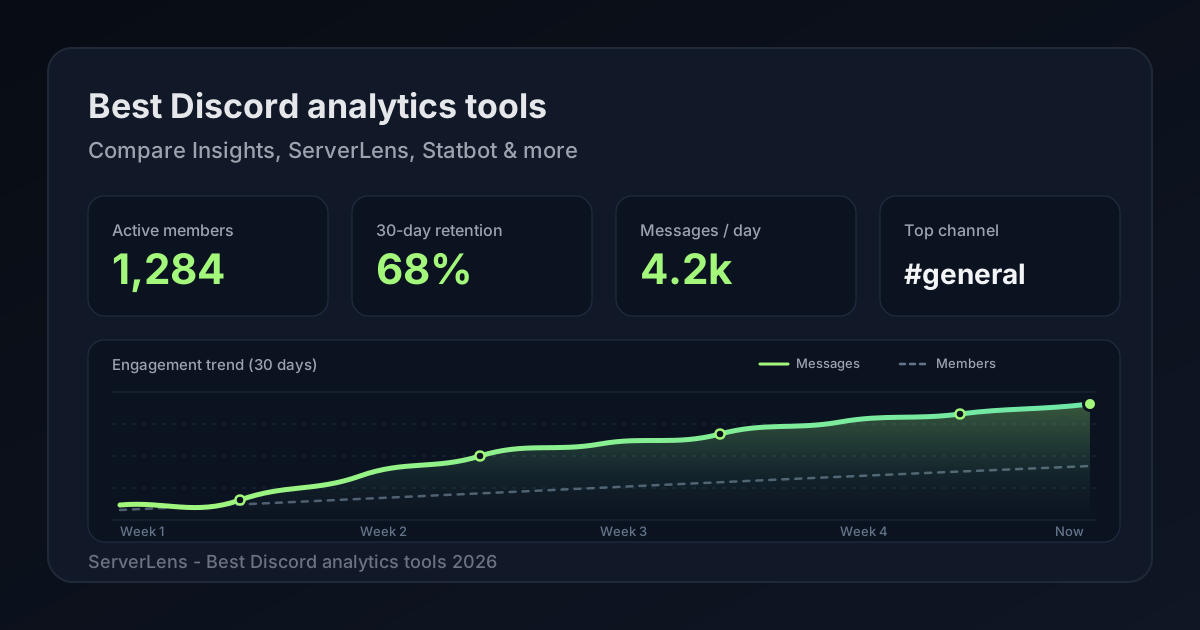
Most people searching for the best Discord analytics tool in 2026 want one of three things: a clear read on Discord's built-in Insights, a fair comparison of third-party Discord server analytics tools, or a pick that helps improve engagement instead of only counting messages.
This guide compares Discord Server Insights, ServerLens, Statbot, ServerStats, and CommunityOne. There's also a short note on discordanalytics.xyz, because bot-developer telemetry keeps showing up in the same search results as server analytics. If you want metric definitions first, start with the ultimate guide to Discord server analytics. For dashboards and slash commands in one product, see ServerLens features and /stats-style admin commands. For participation-focused measurement, see Discord community analytics.
What “best” should mean for Discord server analytics
A useful Discord analytics tool should help you answer questions like these:
- Are new joins actually messaging, or only padding the member list?
- Which channels earn replies, and which ones should you archive?
- Who is heating up, and who is quietly fading?
- Can you see that without exporting spreadsheets every Sunday?
Raw totals still matter. Message volume and member count are a fine pulse check. A live counter in the channel list is fine for showing off size. The tools below differ in how far they go from activity display toward decisions that improve engagement.
Quick comparison
| Tool | Best for | Size gate | Starting price (verified) | Emphasis |
|---|---|---|---|---|
| Discord Server Insights | Native basics inside Discord | Community server, more than 500 members | Included with Discord | Growth, engagement, audience in Discord |
| ServerLens | Actionable participation analytics + slash commands | Any size | Free; Standard $1.99/mo | Hot/fading members, new vs returning, heatmaps, /ai |
| Statbot | Activity totals, counters, role automation | Any size (third-party bot) | Premium available (confirm pricing on Statbot) | Messages, voice, status, member count, Statdocks/Statroles |
| ServerStats | Live channel counters | Any size (third-party bot) | Donate/premium via bot commands (public $ unconfirmed) | Member/boost/goal and other counters in the channel list |
| CommunityOne | Broader AI + quests + analytics suite | Any size (third-party) | Free; Core analytics ~$18.99/mo | Platform suite; moderator/ops-oriented analytics claims |
| discordanalytics.xyz | Bot developers | N/A (bots) | Free / donations | Bot command and growth telemetry |
Prices and features change. Re-check vendor pages before you buy. ServerLens plan details: Pricing.
Discord Server Insights
Discord Server Insights is Discord's native analytics for people who help run a Community server with more than 500 members. Official docs describe growth and activation, engagement (including popular channels), audience views, and extra analytics when announcement channels or welcome screens are enabled.
No third-party bot. Charts live inside Discord. For eligible servers, it's a solid first look at growth and high-level engagement.
The hard limit is eligibility: Community mode plus more than 500 members. Smaller servers are out. Even large servers may still want contributor-level lists, heatmaps, or plain-English questions outside Discord's native views.
Pick Insights when your server already qualifies and Discord's built-in charts cover most of what you need. Add a dedicated tool when you outgrow those views.
Source: Discord Server Insights FAQ.
ServerLens
ServerLens is a Discord analytics platform with a web dashboard and in-Discord slash commands. It works for servers of any size, with a free tier to start.
On the dashboard you get active members, newly active members, message volume, messages per channel, and the most-used reaction. Paid plans add realtime activity for roughly the last half hour.
The Members views go further than totals: newly active users, hot members, members losing momentum, chattiest members, and members driving the most replies. Channels covers most-active channel, engagement %, and average/median messages per channel. Trends (paid) adds moving averages, a day-by-hour message heatmap, new vs returning messagers, and average engagement duration.
Slash commands include /stats, /channel, /user, /top-users, /dashboard, and /fix. Paid Standard includes /ai for plain-English questions over your analytics data (currently 10 uses per day).
One honesty note: ServerLens analyzes message metadata (author, timestamp, channel), not message content. Voice joins help capture member activity; this is not a full voice-session analytics product.
Pricing (public): Forever Free ($0, 14 days of history) and Standard ($1.99/mo, longer history, realtime, Trends, /ai). See features and commands.
Pick ServerLens when you want Discord server analytics that point to next steps: who is gaining momentum, who is fading, which channels are alive, when people are active, and what /ai can summarize without a spreadsheet.
Statbot
Statbot is a long-running Discord server stats bot with a personalized dashboard. Official docs say it tracks messages, voice, activity (games/streaming), status (online/dnd/idle/offline), and member count, per member and per channel. Tools like Statdocks (channel counters) and Statroles (auto grant/remove roles from activity) sit on top of those totals. Docs list invites and members in/out as future items, not current tracking.
If you need broad low-level activity logging (including voice and status), counters, and role automation tied to stats, Statbot is built for that. The dashboard is there to browse totals and filters.
For an owner focused on engagement quality, that emphasis is mostly activity totals and automation. It is less oriented toward “who should we nudge this week” participation workflows. Public dollar pricing was not available without login when we checked, so treat premium as “exists, confirm on Statbot.”
Pick Statbot when counters, activity-based role rewards, and detailed raw stats are the main job. If your goal is improving engagement quality, compare against a tool built around participation decisions.
Sources: What is Statbot?, Statbot welcome docs.
ServerStats
ServerStats is the classic channel counter bot a lot of servers already recognize. You invite it, run /setup, and get auto-updating numbers in your channel list. Top.gg describes counters for member, channel, role, emoji, boost, and goal counts. Their intro page says they ship over 35 counter types (/counter list), including game and social counters.
Customization is basically Discord itself: rename the channel, keep a number in the name, pick formats like 1,211 or 1.21K. Counters refresh on their own. The site notes Discord forces an update delay, so don't expect instant flips every second.
That's a display product. Members see size and goals in the sidebar. You can export data with /data or /members, and there are info commands like /serverinfo. What you won't find on their site is a participation dashboard: no hot/fading member lists, no day-by-hour heatmaps, no /ai over analytics.
Premium exists. /donate covers donate/premium tiers; /premium manages premium servers. There was no public pricing page with dollar amounts when we checked (/pricing returned 404), so confirm cost inside the bot before you plan a budget around it.
Their marketing says they're trusted by over 3 million Discord servers. That's their claim. We didn't independently audit it.
Pick ServerStats when you want live counters in Discord and that's the job. If you need to decide who to nudge next week, keep the counters if you like them, and add a real analytics dashboard.
Sources: ServerStats, Setup, Commands, Top.gg listing.
CommunityOne
CommunityOne is a broader Discord platform: AI support, quests/engagement, moderation-oriented tooling, and analytics. Their analytics pages highlight real-time member analytics, engagement metrics, role and channel performance, moderator tracking, topic/sentiment analysis, and quest/XP analytics.
Pricing (from their pricing page): Free at $0; product modules from about $14.99; Core analytics around $18.99/mo; Pro around $38.99/mo, plus higher enterprise options.
That suite approach helps if you want AI support and quests beside stats, and their analytics copy leans into community ops (including moderator performance). You are also buying a platform, not a lean analytics product. Core analytics pricing sits well above ServerLens Standard ($1.99/mo) if dashboards and slash commands are the main need.
Pick CommunityOne when you want the wider suite and platform pricing is fine. If you primarily need Discord analytics tools for engagement decisions, compare the analytics surfaces and price against a focused product like ServerLens.
Sources: CommunityOne analytics, CommunityOne pricing.
discordanalytics.xyz (do not confuse)
Discord Analytics at discordanalytics.xyz is a free, donation-funded platform for Discord bot developers. Docs describe bot metrics such as command usage, user growth, and server activity for bots, plus team access and weekly email reports. It is open-source on GitHub.
Different category. Different buyer. Mentioned here so a search for “Discord analytics” does not send you to install the wrong thing.
How to choose a Discord analytics tool
- Check Insights eligibility. Already on Community with more than 500 members? Start with Discord’s charts, then decide if you need more.
- Name the job. Live counters in the channel list? That’s ServerStats territory. Activity totals and role automation? Statbot. Full suite with AI support and quests? CommunityOne. Weekly participation decisions? ServerLens.
- Match server size. Under 500 members without Insights? You need a third-party tool that works at any size.
- Compare price to the job. Analytics-only buyers should weigh ServerLens Free/Standard ($1.99) against CommunityOne Core (~$18.99) before paying for a wider suite. For counter bots, confirm premium inside the bot. Don’t guess from marketing copy.
- Prefer decisions over vanity. A member-count channel is easy to screenshot. Hot members, fading members, channel mix, and return trends are easier to act on.
Getting started with ServerLens
- Install via ServerLens or the Discord App Directory.
- Grant channel visibility where you want stats, then run
/fixif a channel looks empty. - Open the dashboard for charts; use
/stats,/channel, and/userfor in-Discord checks. - On Standard, ask
/aiquestions like “Which channel slowed down this month?”
Try ServerLens free at /auth/sign-up, or explore features and slash commands first.